Artificial intelligence has completely changed how we create visuals. Today, anyone can generate stunning images in seconds—if they know how to write the right prompt. Yet most people struggle because they treat prompts like casual instructions instead of professional creative briefs.
If you’ve ever typed something like “a beautiful girl standing in a city” and felt disappointed by the result, you’re not alone. The difference between average and breathtaking AI-generated images comes down to how well you write your prompts.
In this in-depth guide, you’ll learn how to write the best prompts for image generation like a pro. This isn’t surface-level advice. We’ll break down professional prompt structures, real-world examples, common mistakes, advanced techniques, and future trends—so by the end, you’ll think like a prompt engineer, not a beginner.
What Is an Image Generation Prompt? (And Why It Matters More Than You Think)
An image generation prompt is a text-based instruction that tells an AI model what to create visually. But thinking of it as “just a sentence” is a mistake.
A professional prompt is more like:
- A director’s vision
- A photographer’s brief
- A designer’s specification document
AI models don’t “imagine” the way humans do. They predict pixels based on patterns. The clearer and more structured your prompt, the closer the AI gets to what you want.
Why Poor Prompts Fail
Weak prompts usually:
- Lack visual detail
- Ignore style and lighting
- Don’t specify mood or composition
- Leave too much ambiguity
Strong prompts:
- Control the scene
- Reduce randomness
- Produce repeatable, high-quality results
How AI Interprets Your Prompt (Behind the Scenes)
Understanding how AI “reads” your prompt helps you write better ones.
AI Processes Prompts in Layers
Most image models interpret prompts in this order:
- Subject (what is in the image)
- Attributes (appearance, age, color, texture)
- Environment (location, background)
- Style (art style, photography type)
- Technical details (lighting, camera, resolution)
If your prompt is missing any of these layers, the AI fills in the gaps randomly.
Example
Bad prompt:
A warrior
Better prompt:
A fierce Viking warrior with braided hair, wearing fur armor, standing on a snowy battlefield, cinematic lighting, ultra-detailed, realistic style
The second prompt gives the AI far more control points.
The Professional Prompt Formula (Used by Experts)
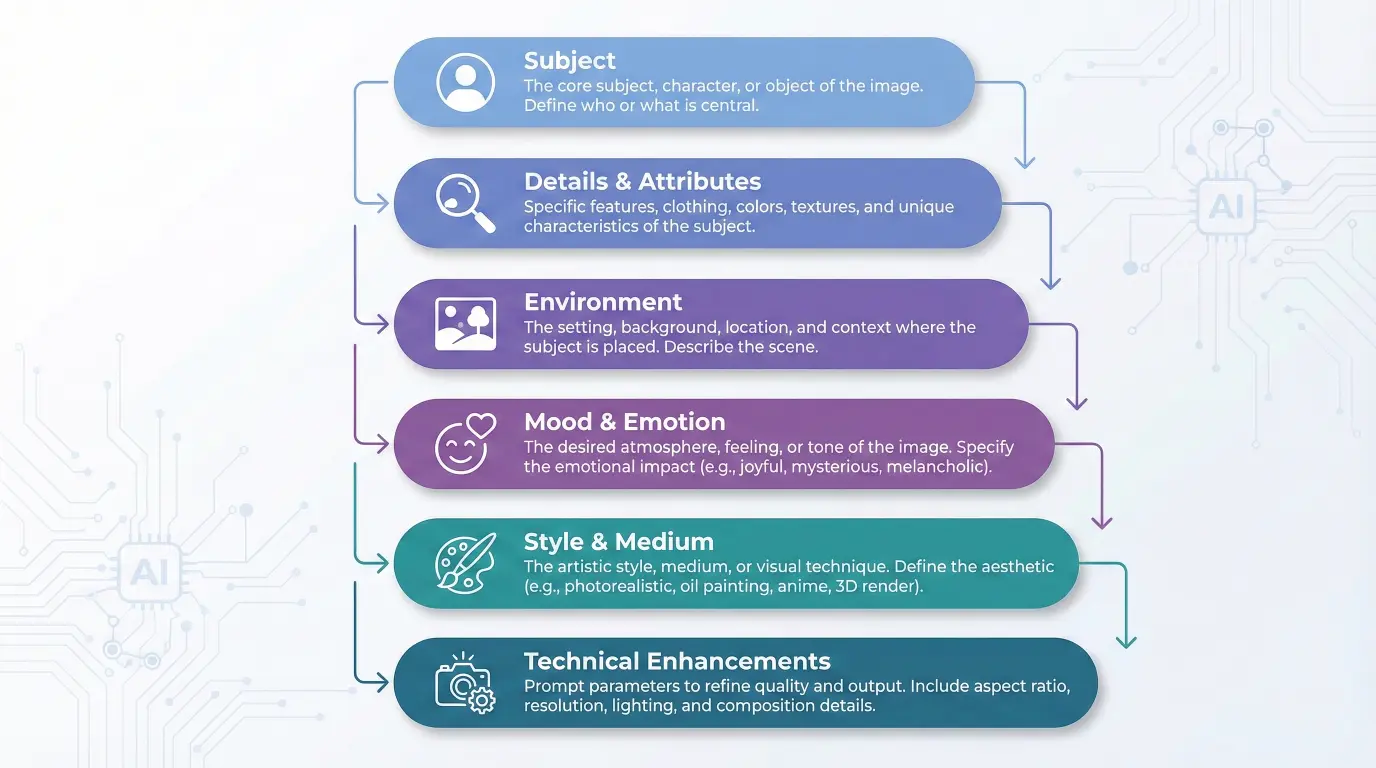
To write the best prompts for image generation like a pro, follow this proven structure:
The 6-Part Prompt Formula
- Subject
- Details & Attributes
- Environment
- Mood & Emotion
- Style & Medium
- Technical Enhancements
Let’s break each one down.
1. Subject: Be Specific, Not Vague
Your subject is the anchor of the image.
Bad Examples
- A man
- A dog
- A city
Professional Examples
- A middle-aged Japanese man wearing a tailored navy suit
- A golden retriever puppy with fluffy fur and bright eyes
- A futuristic cyberpunk city with neon skyscrapers
Pro Tip: Always specify who or what clearly. Avoid generic nouns.
2. Details & Attributes: Control the Visual Outcome
This is where your image becomes unique.
Include:
- Age
- Gender
- Clothing
- Facial expression
- Materials
- Colors
- Physical features
Example
Instead of:
A woman
Use:
A young woman with long silver hair, emerald green eyes, wearing a flowing white silk dress with gold embroidery
The AI now has less freedom to make mistakes.
3. Environment: Place the Subject in a World
AI images feel flat without context.
Environment Ideas
- Indoor / outdoor
- Time period
- Weather
- Surroundings
Example
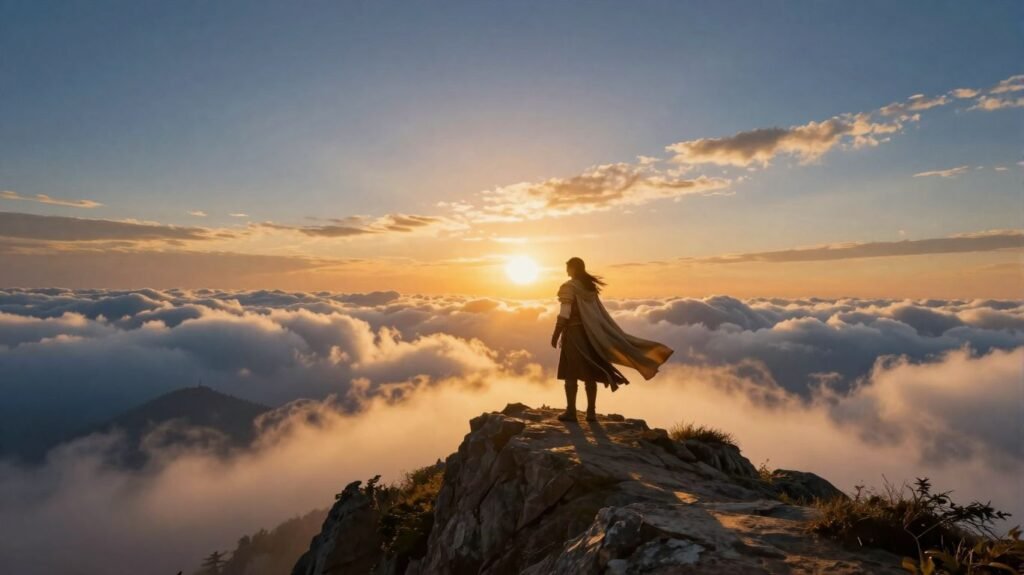
Standing on a misty mountain peak at sunrise, clouds rolling beneath her feet
This transforms a portrait into a cinematic scene.
4. Mood & Emotion: Add Storytelling Power
Mood influences:
- Lighting
- Color palette
- Facial expressions
- Composition
Mood Keywords
- Mysterious
- Peaceful
- Dramatic
- Dark
- Hopeful
- Epic
- Melancholic
Example
A lonely astronaut floating in space, quiet and emotional atmosphere, soft lighting
This tells a story without words.
5. Style & Medium: Tell AI How to Draw
This is where most beginners fail.
Specify:
- Art style
- Artist inspiration
- Medium
- Era
Style Examples
- Oil painting
- Digital art
- Watercolor
- Pencil sketch
- Photorealistic
- Anime style
- Studio Ghibli-inspired
- Unreal Engine render
Example
Hyper-realistic portrait photography, 85mm lens, shallow depth of field
Now the AI knows to think like a photographer.
6. Technical Enhancements: Make It Look Professional
These keywords significantly improve quality:
- Ultra-detailed
- High resolution
- 8K
- Sharp focus
- Cinematic lighting
- Global illumination
- Soft shadows
Example
Ultra-detailed, high-resolution, cinematic lighting, sharp focus
This often separates amateur-looking images from professional-grade ones.
Advanced Prompt Techniques Used by Professionals
Once you master the basics, use these expert strategies.
Use Prompt Weighting (Advanced Models)
Some tools allow weighting:
(golden armor:1.5)(dark background:0.7)
This tells the AI what matters most.
Negative Prompts: Remove What You Don’t Want
Negative prompts are powerful.
Examples
- blurry
- low quality
- extra fingers
- distorted face
- watermark
- text
Example
Negative prompt: blurry, low quality, extra limbs, deformed face
This dramatically improves realism.
Camera & Lens Control (Photorealism Hack)
Professional prompts often include:
- Camera type
- Lens size
- Aperture
Example
Shot on a DSLR camera, 50mm lens, f/1.8 aperture, natural lighting
This makes AI images look like real photos.
Common Mistakes That Ruin Image Prompts
Even experienced users make these errors.
Mistake 1: Overloading the Prompt
Too many conflicting ideas confuse the AI.
Mistake 2: Being Too Short
Minimal prompts = random results.
Mistake 3: Ignoring Style
Without style, AI defaults to generic outputs.
Mistake 4: No Mood or Lighting
Flat lighting leads to flat images.
Prompt Examples: Beginner vs Pro
Beginner Prompt
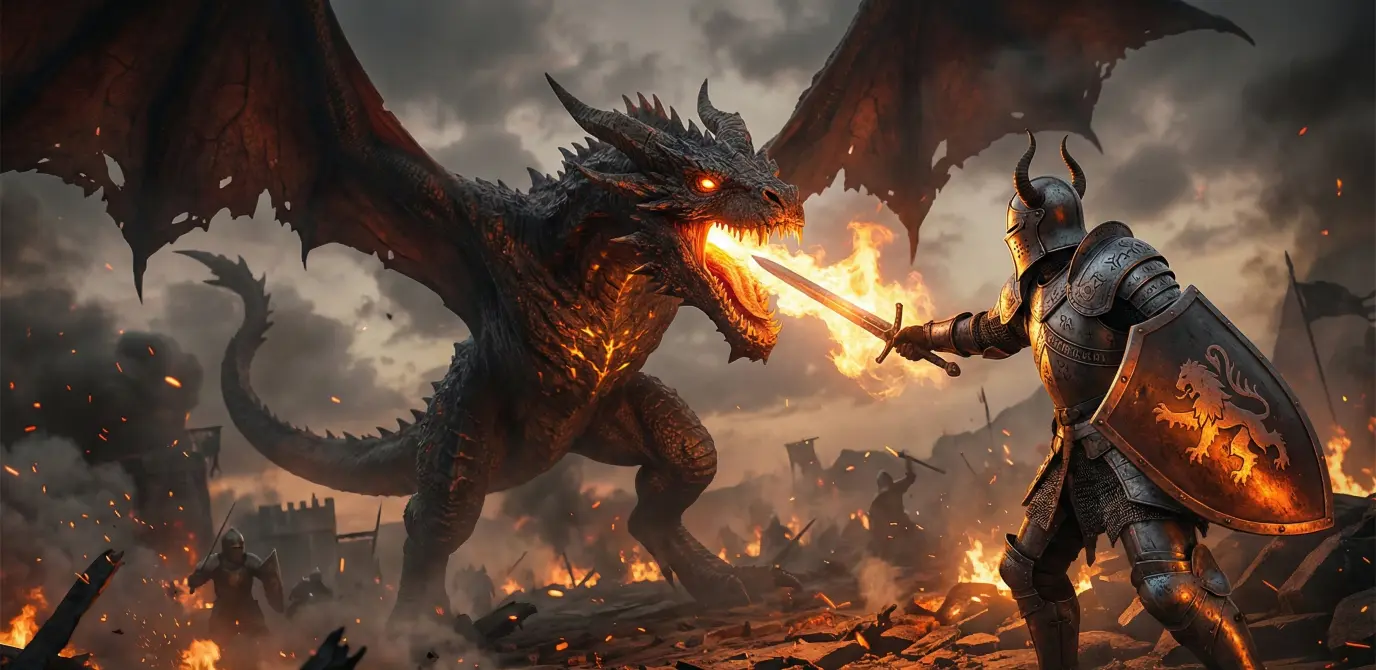
A knight fighting a dragon
Professional Prompt
A fearless medieval knight in silver armor battling a massive fire-breathing dragon, flames illuminating the dark battlefield, epic cinematic fantasy art, ultra-detailed, dramatic lighting, high resolution
The difference is night and day.
Best Prompt Templates You Can Reuse
Portrait Template
A [age] [gender] with [appearance], wearing [clothing], [emotion], [lighting], [style], ultra-detailed, high resolution
Landscape Template
A breathtaking [location] during [time of day], [weather], cinematic lighting, wide-angle view, ultra-realistic
Product Template
A professional product photo of [item], clean background, studio lighting, sharp focus, high resolution
Future of Image Prompt Writing (Trends & Predictions)
Prediction (Clearly Labeled):
Prompt writing will become a core creative skill, similar to photography or graphic design.
Future trends include:
- Voice-to-prompt generation
- Visual prompt editors
- AI-assisted prompt optimization
- Personalized prompt styles
Those who master prompt engineering now will have a major creative advantage.
Conclusion: Think Like a Director, Not a User
Writing the best prompts for image generation like a pro is not about tricks—it’s about clarity, structure, and intention.
When you:
- Describe clearly
- Control style and mood
- Use technical enhancements
- Remove unwanted elements
You stop “hoping” for good results and start designing them.
Treat every prompt like a professional brief, and AI becomes a powerful creative partner—not a guessing machine.
Frequently Asked Questions (FAQ)
1. How long should an ideal image prompt be?
There’s no fixed length, but professional prompts are usually 2–4 detailed sentences or a well-structured single paragraph.
2. Are commas better than full sentences in prompts?
Yes. Many AI models respond well to comma-separated descriptive phrases.
3. Do image prompts work the same across all AI tools?
The core principles are the same, but syntax and features vary slightly between tools like Midjourney, DALL·E, and Stable Diffusion.
4. What is the most important part of a prompt?
Clarity. A clear subject with defined style and mood matters more than fancy keywords.
5. Should I always use negative prompts?
For realistic or professional images—yes. They help eliminate common AI errors.
6. Can prompts be reused?
Absolutely. Professionals build prompt templates and refine them over time.
7. Is prompt engineering a real skill?
Yes. It’s already used in marketing, design, gaming, film concept art, and product visualization.
✅READY-TO-USE PROMPT PACKS you can copy-paste directly
🎨 PROMPT PACK 1: FEATURE / HERO IMAGES (Blog, Website, Thumbnails)
1️⃣ Tech / AI Blog Feature Image
A futuristic digital creator working at a sleek workstation, typing advanced AI prompts on a glowing holographic interface floating in mid-air, translucent AI-generated images surrounding them as floating panels, neon blue and purple accents, soft volumetric light rays, cinematic depth of field, ultra-detailed, hyper-realistic digital art, dramatic cinematic lighting, premium tech aesthetic, wide composition, feature image quality, aspect ratio 16:9
2️⃣ Educational / How-To Article Hero
Clean modern illustration representing learning and creativity, abstract human figure interacting with floating diagrams, icons, and structured layers, soft gradients, professional UI-inspired design, calm and intelligent mood, flat-meets-modern illustration style, sharp clarity, high resolution, blog feature image, aspect ratio 16:9
3️⃣ Creative Writing / Inspiration Feature
A solitary creator standing in a vast imaginative environment, glowing ideas forming around them as light particles and abstract shapes, dreamy atmosphere, soft cinematic lighting, inspirational mood, painterly digital art style, wide-angle view, ultra-detailed, high resolution, aspect ratio 16:9
📊 PROMPT PACK 2: EDUCATIONAL INFOGRAPHICS & DIAGRAMS
4️⃣ AI Prompt Structure Diagram
A clean educational infographic diagram showing a layered AI prompt structure, stacked horizontal sections with rounded corners, clearly labeled layers: Subject, Details & Attributes, Environment, Mood & Emotion, Style & Medium, Technical Enhancements, minimalist icons for each layer, thin connecting arrows, modern UI/UX design, white background with soft blue and purple accents, clean sans-serif typography, vector-style clarity, professional educational aesthetic, aspect ratio 16:9
5️⃣ Step-by-Step Process Diagram
Modern step-by-step infographic layout with numbered sections, clear visual hierarchy, minimal icons, soft shadows, light background, professional educational design, flat illustration style, clean typography, high readability, presentation-ready quality, aspect ratio 16:9
🧙 PROMPT PACK 3: CINEMATIC FANTASY & STORYTELLING
6️⃣ Epic Fantasy Landscape
A lone fantasy character standing on a high mountain peak at sunrise, dramatic rolling clouds below, golden sunlight breaking through mist, flowing cloak in the wind, heroic silhouette, epic cinematic fantasy art, ultra-detailed environment, volumetric lighting, wide-angle perspective, inspirational mood, high resolution, aspect ratio 16:9
7️⃣ Epic Battle Scene
A heavily armored medieval knight battling a massive fire-breathing dragon, flames illuminating the dark battlefield, sparks and embers in the air, dynamic action pose, dramatic high-contrast lighting, epic cinematic fantasy art style, ultra-detailed textures, wide composition, intense and heroic mood, aspect ratio 16:9
8️⃣ Dark Fantasy Atmosphere
A mysterious fantasy figure standing in a shadowy ancient ruin, faint magical glow, fog drifting through broken stone pillars, dark and moody atmosphere, cinematic low-key lighting, painterly fantasy art style, ultra-detailed, dramatic composition, aspect ratio 16:9
📸 PROMPT PACK 4: PHOTOREALISTIC PORTRAITS & PEOPLE
9️⃣ Ultra-Realistic Cinematic Portrait
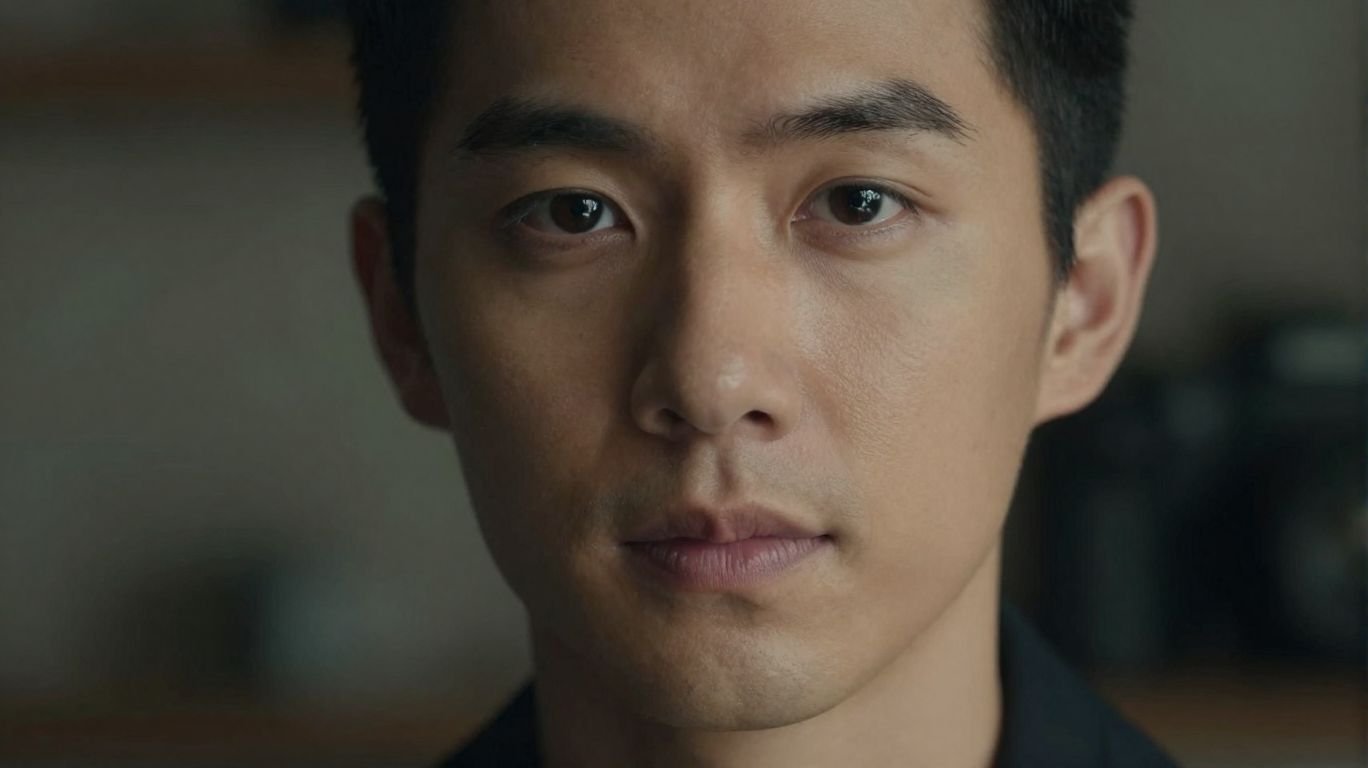
Ultra-realistic close-up portrait of a human subject, natural skin texture with visible pores, expressive eyes in sharp focus, cinematic lighting with soft key light and rim light, shallow depth of field with smooth background bokeh, professional photography style, shot on DSLR, 85mm lens, f/1.8 aperture, editorial-quality finish, high resolution, aspect ratio 16:9
🔟 Lifestyle Portrait
Natural lifestyle portrait of a person in a casual environment, soft natural light, relaxed expression, realistic skin tones, shallow depth of field, candid photography style, balanced composition, professional color grading, high resolution, aspect ratio 16:9
🛍️ PROMPT PACK 5: PRODUCT & BRAND VISUALS
1️⃣1️⃣ Clean Product Shot
Professional product photography of a modern item placed on a clean minimal background, soft studio lighting, subtle shadows, sharp focus, realistic materials and textures, commercial-quality image, high resolution, premium brand aesthetic, aspect ratio 16:9
1️⃣2️⃣ Luxury Product Visual
High-end luxury product displayed on an elegant surface, dramatic cinematic lighting, dark background with soft highlights, premium materials, ultra-detailed textures, glossy reflections, editorial advertising style, high resolution, aspect ratio 16:9
🎬 PROMPT PACK 6: SOCIAL MEDIA & THUMBNAILS
1️⃣3️⃣ YouTube Thumbnail (Tech / AI)
Bold futuristic composition with strong contrast, central subject highlighted, glowing tech elements, dramatic lighting, vibrant colors, clean background space for text, modern digital art style, sharp focus, high impact, thumbnail-optimized, aspect ratio 16:9
1️⃣4️⃣ Instagram Visual
Stylish modern visual with strong composition, soft lighting, aesthetic color palette, minimal background, eye-catching focal point, clean and trendy digital art style, high resolution, square composition
🚫 BONUS: UNIVERSAL NEGATIVE PROMPT (Highly Recommended)
Use this with any prompt:
blurry, low quality, low resolution, pixelated, extra limbs, extra fingers, deformed hands, distorted face, bad anatomy, watermark, logo, text, cropped, out of frame
How to Write a Proper Prompt for ChatGPT? (Beginner’s Complete Guide)

1 thought on “How to Write the Best Prompts for Image Generation Like a Pro (Complete Expert Guide)”